

Choosing the right tool for managing customer data is critical for businesses aiming to enhance customer relationships, increase sales efficiency, and scale operations. Two commonly used solutions are Customer Relationship Management (CRM) systems and spreadsheets.
While spreadsheets like Excel or Google Sheets are familiar and simple, CRMs are purpose-built platforms designed for tracking customer interactions, sales pipelines, and automating workflows. CRMs are ideal for businesses ready to grow and streamline operations, whereas spreadsheets may still appeal to small teams with minimal needs and tight budgets.
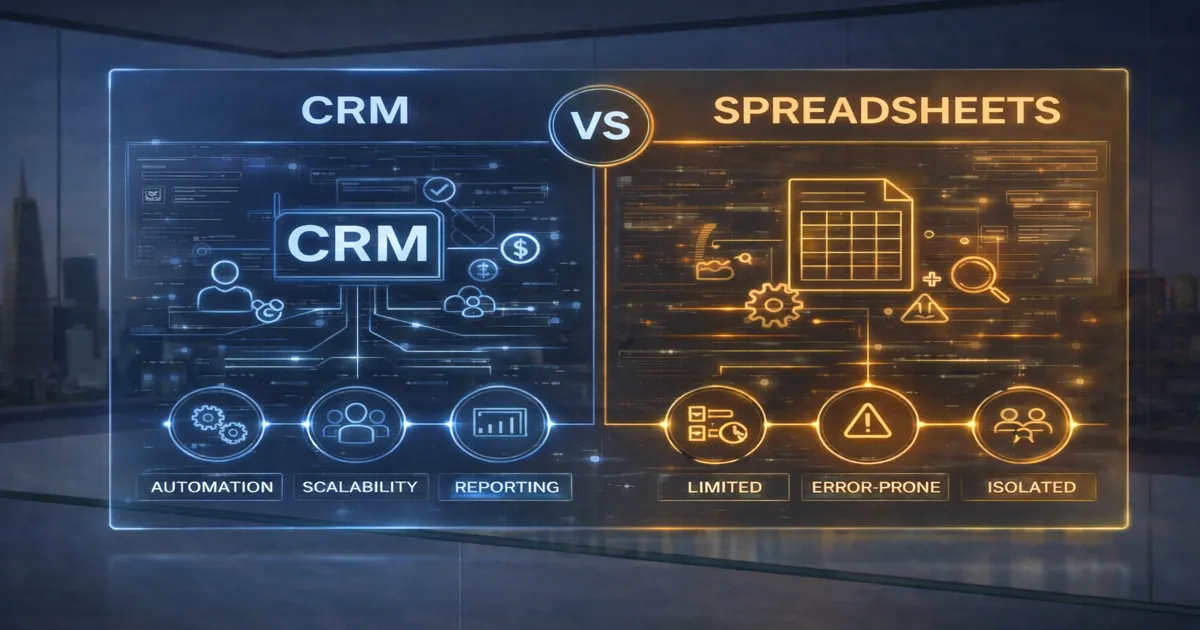
A CRM system centralizes all your customer information, making it easier to manage leads, track communications, and automate sales tasks. Modern CRMs like Zoho, Salesforce, and HubSpot provide sales insights, pipeline visualization, workflow automation, and AI-based recommendations. CRMs enhance team collaboration, reduce repetitive tasks, and deliver a 360-degree view of customer interactions.
Key Features of CRM Systems:
Spreadsheets are popular due to their simplicity, low cost, and wide accessibility. Teams often use them to manage basic contact lists, deal tracking, or follow-up schedules. While spreadsheets offer full control over formatting and formulas, they lack structure and automation—leading to potential inefficiencies and errors as data complexity increases.
Key Features of Spreadsheets:
| Feature | CRM (Recommended) | Spreadsheets |
|---|---|---|
| Data Management | Centralized and structured | Manual and scattered |
| Sales Tracking | Visual pipelines with automated stages | Basic rows and columns |
| Collaboration | Real-time access with user roles | Limited real-time collaboration |
| Automation | Workflows, task reminders, lead scoring | Manual data entry |
| Reporting & Insights | Real-time dashboards and custom reports | Manual reports, time-consuming |
| Security | Role-based access, encryption, and backups | Prone to data loss and unauthorized edits |
| Integration | Seamlessly connects to email, marketing, support tools | No native integrations |
| User Experience | Guided processes and notifications | Free-form, but disorganized |
| Scalability | Designed to grow with your team | Becomes unmanageable as data grows |
| Customization | Custom modules, fields, and workflows | Full formatting freedom, limited function |
| Cost | Subscription-based, offers free versions too | Free or low-cost tools |
| Mobile Access | Mobile apps with full features | Limited mobile experience |
| Data Accuracy | Validations and duplicate checks | High chance of human error |
| Time Efficiency | Reduces repetitive tasks and errors | Requires constant manual work |
| Best For | Teams aiming to scale and improve sales processes | Micro-businesses with basic needs |
CRM: Best for Growth-Oriented and Customer-Focused Teams
CRM systems are ideal for businesses focused on growth, customer experience, and automation. Whether you’re tracking hundreds of leads, coordinating sales activities, or running marketing campaigns, a CRM brings structure, speed, and scalability. Teams benefit from centralized communication, shared task lists, and real-time performance insights. If you’re aiming for long-term customer success, a CRM is the smarter investment.
Spreadsheets: Best for Minimalist Teams with Basic Data Needs
Spreadsheets may still work for solopreneurs, early-stage startups, or teams with less than 10 customers. They are easy to use, flexible, and cost-effective. However, as soon as you find yourself copying and pasting, sending reminders manually, or losing track of follow-ups—it’s time to upgrade to a CRM. Spreadsheets simply cannot keep up with growing customer demands and team coordination.
The decision between using a CRM system or sticking with spreadsheets depends on your business size, complexity, and growth plans.
✅ Choose CRM if you want structured data, sales automation, improved customer engagement, team-wide visibility, and time-saving tools. Most CRMs offer free versions to start and scale as you grow.
⚠️ Choose Spreadsheets only if your business is in its earliest stage, has minimal data, and you’re looking for a stop-gap solution before investing in a CRM.
Ultimately, adopting a CRM helps you move from reactive to proactive customer management—unlocking real productivity gains and helping you close more deals with less effort.
Choosing the right tool for managing customer data is critical for businesses aiming to enhance customer relationships, increase sales efficiency, and scale operations. Two commonly used solutions are Customer Relationship Management (CRM) systems and spreadsheets.
While spreadsheets like Excel or Google Sheets are familiar and simple, CRMs are purpose-built platforms designed for tracking customer interactions, sales pipelines, and automating workflows. CRMs are ideal for businesses ready to grow and streamline operations, whereas spreadsheets may still appeal to small teams with minimal needs and tight budgets.
A CRM system centralizes all your customer information, making it easier to manage leads, track communications, and automate sales tasks. Modern CRMs like Zoho, Salesforce, and HubSpot provide sales insights, pipeline visualization, workflow automation, and AI-based recommendations. CRMs enhance team collaboration, reduce repetitive tasks, and deliver a 360-degree view of customer interactions.
Key Features of CRM Systems:
Spreadsheets are popular due to their simplicity, low cost, and wide accessibility. Teams often use them to manage basic contact lists, deal tracking, or follow-up schedules. While spreadsheets offer full control over formatting and formulas, they lack structure and automation—leading to potential inefficiencies and errors as data complexity increases.
Key Features of Spreadsheets:
| Feature | CRM (Recommended) | Spreadsheets |
|---|---|---|
| Data Management | Centralized and structured | Manual and scattered |
| Sales Tracking | Visual pipelines with automated stages | Basic rows and columns |
| Collaboration | Real-time access with user roles | Limited real-time collaboration |
| Automation | Workflows, task reminders, lead scoring | Manual data entry |
| Reporting & Insights | Real-time dashboards and custom reports | Manual reports, time-consuming |
| Security | Role-based access, encryption, and backups | Prone to data loss and unauthorized edits |
| Integration | Seamlessly connects to email, marketing, support tools | No native integrations |
| User Experience | Guided processes and notifications | Free-form, but disorganized |
| Scalability | Designed to grow with your team | Becomes unmanageable as data grows |
| Customization | Custom modules, fields, and workflows | Full formatting freedom, limited function |
| Cost | Subscription-based, offers free versions too | Free or low-cost tools |
| Mobile Access | Mobile apps with full features | Limited mobile experience |
| Data Accuracy | Validations and duplicate checks | High chance of human error |
| Time Efficiency | Reduces repetitive tasks and errors | Requires constant manual work |
| Best For | Teams aiming to scale and improve sales processes | Micro-businesses with basic needs |
CRM: Best for Growth-Oriented and Customer-Focused Teams
CRM systems are ideal for businesses focused on growth, customer experience, and automation. Whether you’re tracking hundreds of leads, coordinating sales activities, or running marketing campaigns, a CRM brings structure, speed, and scalability. Teams benefit from centralized communication, shared task lists, and real-time performance insights. If you’re aiming for long-term customer success, a CRM is the smarter investment.
Spreadsheets: Best for Minimalist Teams with Basic Data Needs
Spreadsheets may still work for solopreneurs, early-stage startups, or teams with less than 10 customers. They are easy to use, flexible, and cost-effective. However, as soon as you find yourself copying and pasting, sending reminders manually, or losing track of follow-ups—it’s time to upgrade to a CRM. Spreadsheets simply cannot keep up with growing customer demands and team coordination.
The decision between using a CRM system or sticking with spreadsheets depends on your business size, complexity, and growth plans.
 Choose CRM if you want structured data, sales automation, improved customer engagement, team-wide visibility, and time-saving tools. Most CRMs offer free versions to start and scale as you grow.
 Choose Spreadsheets only if your business is in its earliest stage, has minimal data, and you’re looking for a stop-gap solution before investing in a CRM.
Ultimately, adopting a CRM helps you move from reactive to proactive customer management—unlocking real productivity gains and helping you close more deals with less effort.